
ScanIQ
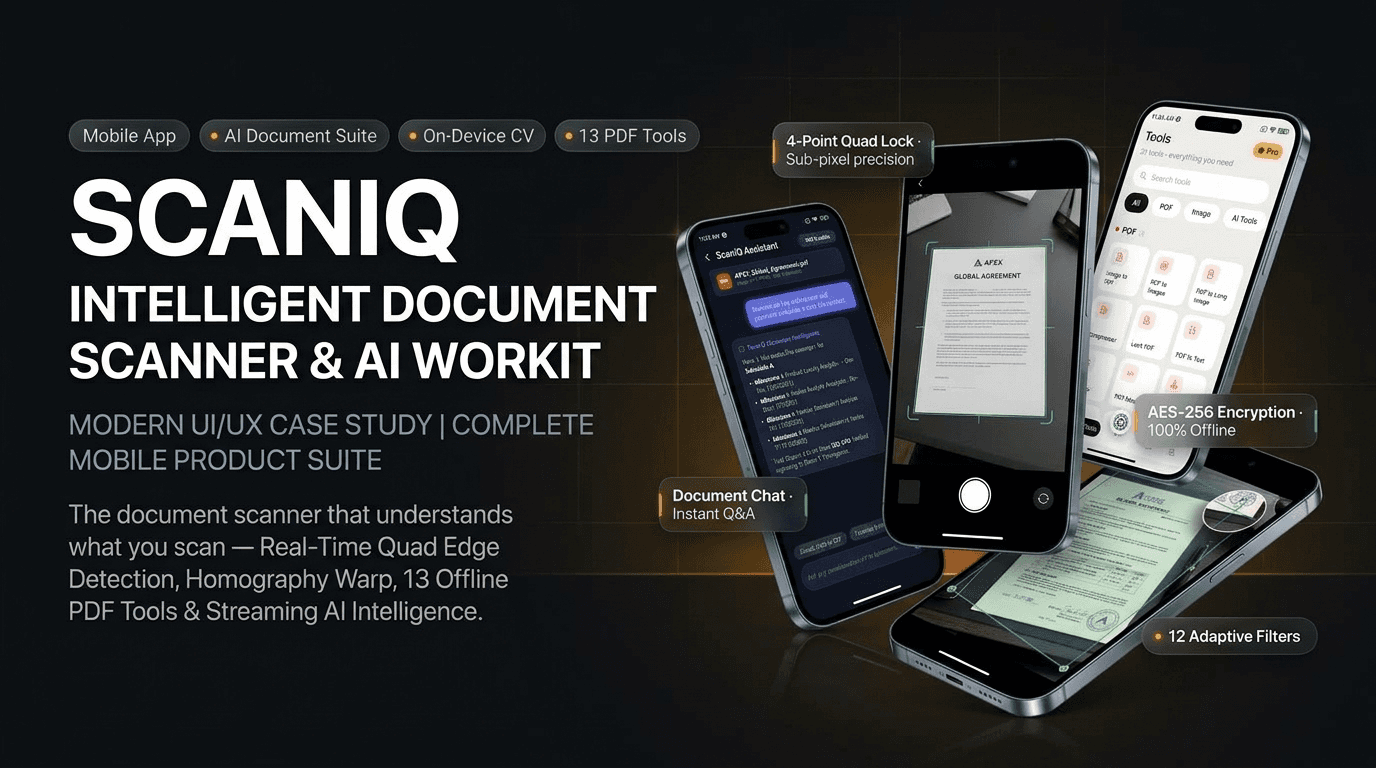
The document scanner that actually understands what you scan.
Document Intelligence · AI
- Status
- Pilot
- Category
- Product
The project, at a glance
Most scanner apps stop at the photo. You take a picture, get a roughly cropped page, and anything after that — merging multiple sheets, signing a contract, redacting sensitive lines, extracting editable text, or translating a foreign invoice — demands a desktop application, a second utility app, or an aggressive subscription paywall.
ScanIQ was conceived as an end-to-end continuous workflow instead. The camera launches in one of seven specialized capture modes, locks onto document boundaries in real time, and rectifies perspective distortion on-device using a high-performance computer vision core. The resulting scan immediately lands in an organized, searchable document library.
From that single hub, the document can be merged, split, compressed, password-protected with AES-256 encryption, watermarked, digitally signed, converted to images, or handed over to an on-demand AI assistant for conversational Q&A, streaming OCR, and 43-language translation. Core scanning, corner adjustments, 12 document filters, and the entire 13-tool PDF workshop run 100% offline and free on the device; server-side generative tasks are cleanly metered with a transparent credit system.
ScanIQ
- Product
- ScanIQ (launcher label "Root Scanner")
- Category
- Document scanning, PDF workshop & generative image intelligence
- Platform
- Cross-platform mobile app for Android and iOS
- Audience
- Students, remote professionals, legal and field workers, international travelers, and small business owners
- Languages
- 8 locales — English, Spanish, French, German, Chinese, Arabic (RTL), Japanese, Brazilian Portuguese
Try it yourself
What we set out to build
“Everything you need to do to a document, from the shutter to the finished file, without ever leaving your phone.”
Scanning should never require an account, an active internet connection, or an intrusive monthly subscription. Everything that happens to a document after it's photographed should be one tap away from the file itself, rather than fragmented across multiple disconnected apps.
What people told us
- 1
"The scan always comes out crooked and dark." Pages photographed at angles or on uneven surfaces end up keystoned, with shadows obscuring critical fine print.
- 2
"I scanned the document, but now what?" Merging five pages into one file, adding a signature, or password-locking a contract forced people to email files to a desktop.
- 3
"Why do I need four different apps?" One app for scanning, a second for compressing large PDFs, a third for QR codes, and a fourth to format passport photos.
- 4
"My passport photo was rejected for wrong dimensions." Every embassy, visa center, and government service enforces strict, differing pixel and millimeter specs.
- 5
"I can never find the scan I took last week." Mobile downloads and camera rolls become dumping grounds without tag structures, folders, or instant search.
- 6
"I need the text, not just a picture of the text." A flat JPEG is useless when you need to copy an address, extract line items, or search within notes.
- 7
"My documents are private and shouldn't live in the cloud." Passports, tax returns, and bank statements should never be uploaded to an unverified third-party cloud just to crop a corner.
How we got there
- Step 01
Put the camera first
Seven purpose-built capture modes — Standard Document, ID Card, Passport Photo, QR & Barcode, OCR Text, Whiteboard, and Timestamped Field Notes — each with dedicated viewfinders, real-time guides, and specialized processing pipelines.
- Step 02
Keep the foundation offline, private, and free
Edge detection, quadrilateral corner adjustment, homography rectification, 12 document filters, and all 13 PDF tools execute entirely on-device. No network calls, no accounts, zero latency.
- Step 03
Make the document the workflow hub
Every tool is reachable directly from the open file view — crop, filter, sign, compress and share without ever navigating back to an app home screen.
- Step 04
Meter only what incurs real cloud GPU costs
On-device scanning and PDF editing remain completely unlimited. Cloud generative features — chat, 4x upscaling, inpainting, translation — draw from a predictable monthly credit balance.
- Step 05
Build production-grade plumbing from day one
Resilient offline data synchronization, token rotation, background file upload queues, biometric authentication, SHA-256 salted app locks, and full right-to-left layout for Arabic.
Where ScanIQ sits
ScanIQ occupies a unique sweet spot in the document productivity landscape:
- More capable than simple scanner apps. Combines a desktop-caliber 13-tool PDF workshop and generative AI directly alongside the viewfinder.
- More private than cloud-dependent services. Core scanning, perspective cropping, filtering, and PDF encryption never leave the physical device sandbox.
- More honest than subscription-trap competitors. Core scanning and PDF tools are free forever; only server-side AI processing consumes credits.
- Built for real-world documents, not generic photos. 171 international biometric passport presets, dual-sided A4 ID printing, and high-contrast ink boost filters.
We didn't just build another camera scanner. We built a self-contained document workstation that turns raw paper into actionable digital intelligence.
Built for five kinds of users
Office workers & freelancers
Key features leveraged
Quad homography, digital signature, AES-256 PDF lock, multi-level compression
University students & researchers
Key features leveraged
Whiteboard filter, batch multi-page scan, AI document chat, streaming OCR
International applicants & travelers
Key features leveraged
171 official passport presets, dual-side ID card on A4, 43-language translation
Field agents & inspectors
Key features leveraged
Timestamp watermarking, laser QR/barcode decoder, offline on-device file library
Privacy-conscious individuals
Key features leveraged
100% offline on-device processing, app-lock PIN, biometric Face ID security
How it came together
Eight phases, each shipping something the next one could build on.
- Step 01
Scanning Engine
Seven camera modes, real-time live quad edge detection, sub-pixel corner loupe, 12 on-device document enhancement filters.
- Step 02
PDF Workshop
Complete on-device PDF engine: merge, split, reorder, compress, encrypt, watermark, sign, convert to images.
- Step 03
Document Library
An indexed document database, virtual folder hierarchies, tag filtering, full-text search, offline synchronization queue.
- Step 04
Identity & Vision
171 national passport presets across 67 countries, head silhouette alignment, dual-sided ID cards auto-arranged on A4.
- Step 05
Barcode & QR Suite
Sub-second multi-format laser scanner, 10-type code generator with custom logos, colors, and contrast guards.
- Step 06
Generative Image AI
4x neural upscaler, background remover, smart inpainting object eraser, AI outpainting uncrop, 29 collage layouts.
- Step 07
Document Intelligence
Streaming PDF chat assistant, bulleted summarization, 43-language translation, ATS resume scoring.
- Step 08
Security & Reach
Biometric unlock, SHA-256 passcode lock, 8 international languages including Arabic RTL.
Where it got hard
Challenge 01
Keystoned, crooked documents photographed at odd angles.
Resolution
We implemented real-time quad edge detection combined with a four-point draggable homography pin system. A circular magnified crosshair loupe follows the user's finger, enabling sub-pixel corner placement that mathematically rectifies the page into a flat, straight document.
Challenge 02
Bulky PDF files that bounce back from email attachments.
Resolution
We built an intelligent multi-level compression engine that preserves high-DPI text edge contrast while downsampling background white space, cutting file sizes by up to 70% without sacrificing readability.
Challenge 03
Privacy risks with confidential identity documents.
Resolution
We bundled a dedicated on-device computer vision engine directly into the application. Document boundary recognition, perspective flattening, 12 image filters, and PDF generation execute 100% locally with zero network calls.
Challenge 04
Inconsistent international passport and visa photo standards.
Resolution
ScanIQ includes a calibrated biometric photo studio preloaded with 171 official sizing formats covering 67 jurisdictions — including US 2×2", UK 35×45mm, Schengen, Canada, and Asian standards — complete with live silhouette head and eye alignment guides.
Challenge 05
Two-sided ID cards requiring complicated desktop layout.
Resolution
Instead of forcing users to generate two separate files, ScanIQ captures front and back in sequence and automatically composites them onto a single print-ready A4 or Letter page with accurate scale.
Challenge 06
Fragmented files lost in gallery folders.
Resolution
ScanIQ integrates an indexed, on-device document repository featuring customizable virtual folders, multi-tag filtering, instant local search, and a background synchronization queue that replays offline operations when connectivity resumes.
How the app stays out of the way
- Shutter to finished PDF in two taps. No mandatory account registration, onboarding blocks, or cloud prompts.
- Real-time feedback. Live bounding boxes trace document edges in the viewfinder before the shutter is pressed.
- Desktop power without desktop friction. Drag-and-drop page reordering, signature placement, and multi-level compression designed for one-thumb operation.
- Instant side-by-side verification. Split-view sliders let users compare original camera captures against enhanced filter outputs before saving.
- Predictable, honest AI. Clear credit indicators show the exact cost of generative operations — 1 credit for chat/OCR, 2 credits for 4x upscale — while core scanner features stay free forever.
- Accessible to everyone. Full native support across 8 languages, high-contrast dark mode, and ergonomic thumb-zone controls.
What the product does
Capture, Corrected Instantly
Make a crooked photo not a concern.
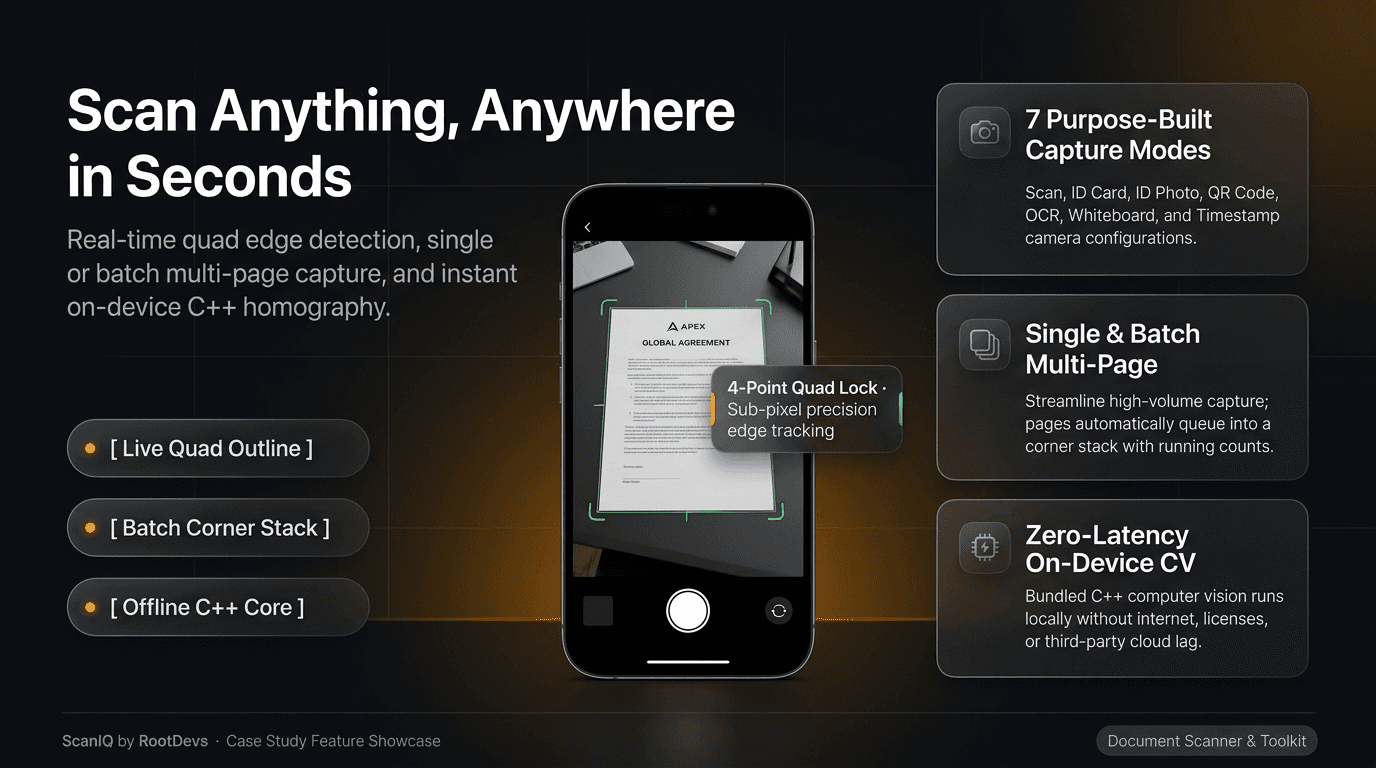
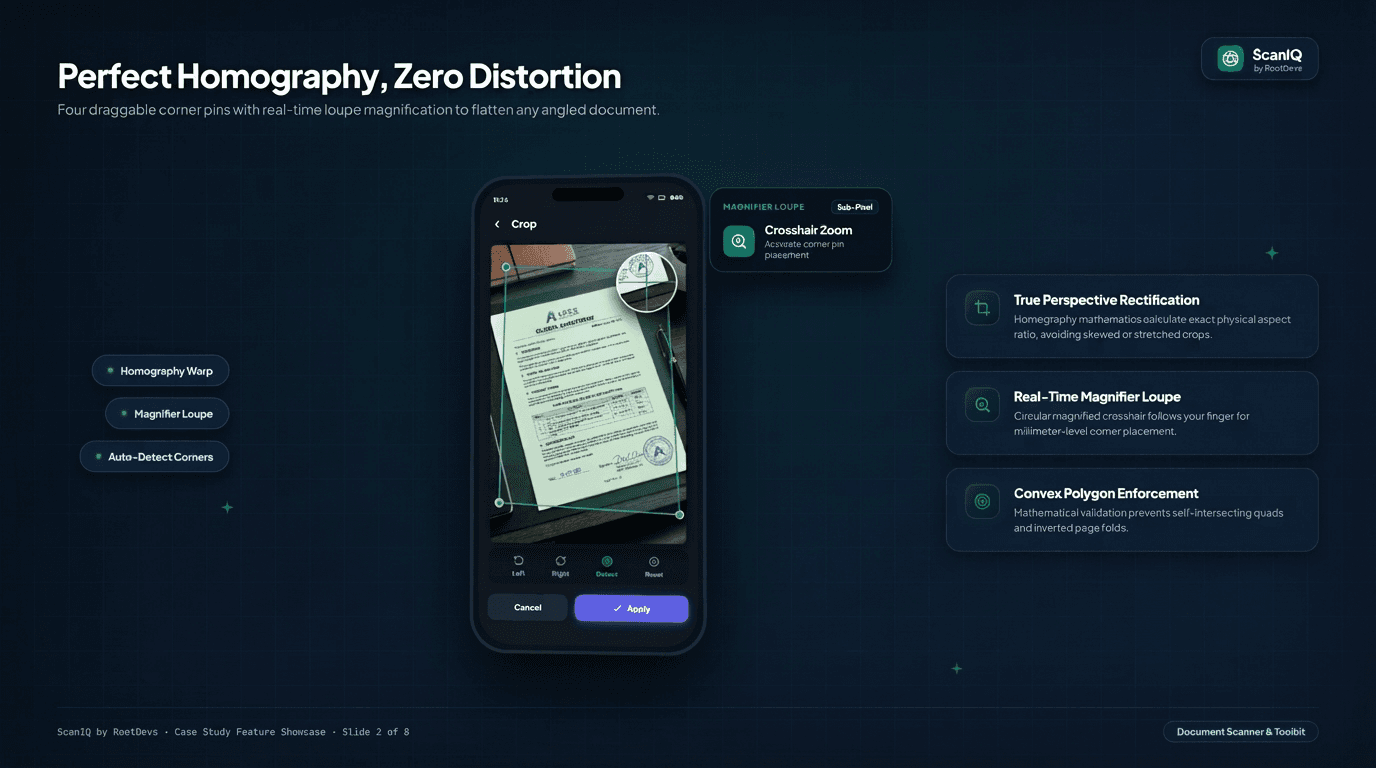
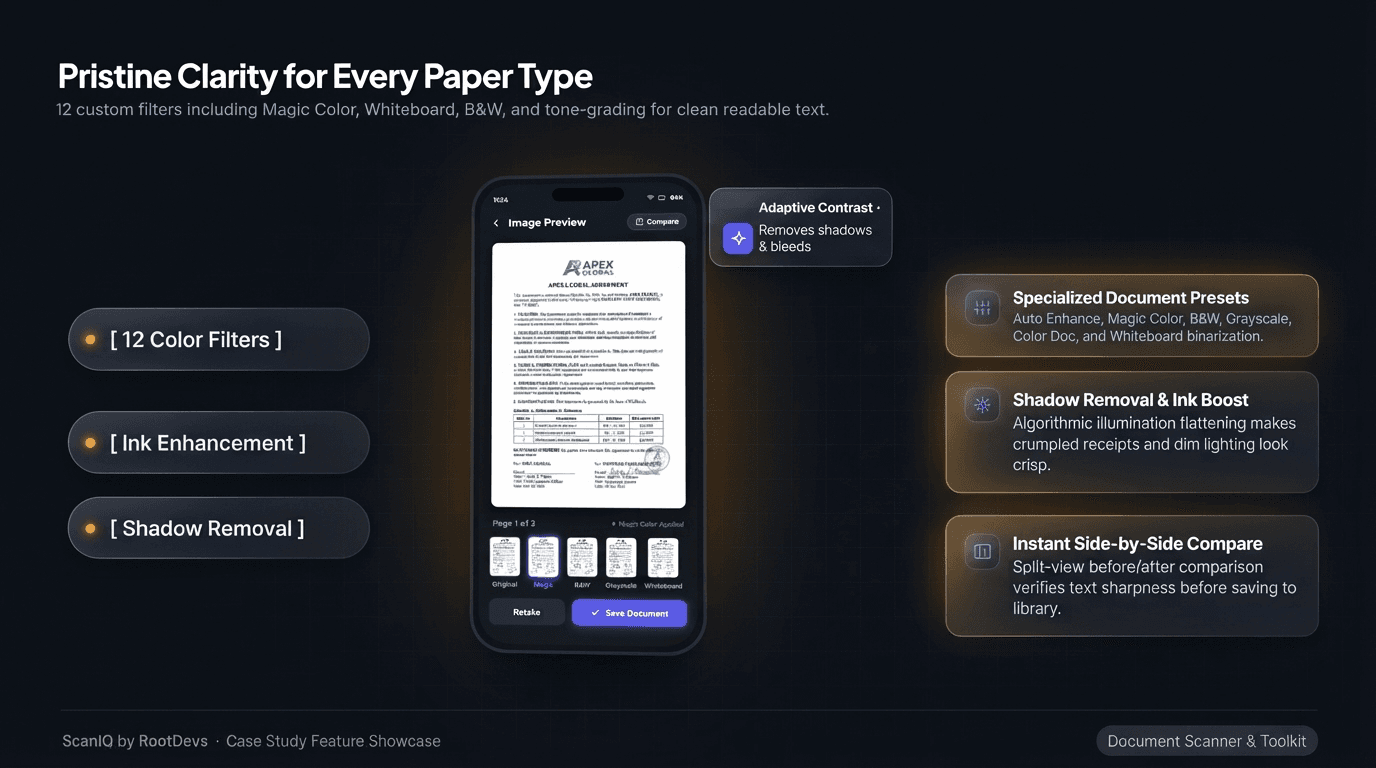
The camera opens into one of seven purpose-built capture modes and locks onto a document's edges with real-time quad detection. Drag any of the four corner pins and a circular magnifier loupe zooms in under your finger for millimeter-level placement, while convex polygon validation stops a quad from folding in on itself. Once the page is flat, 12 on-device filters — Magic Color, Sharp B&W, Grayscale, Whiteboard, and more — strip shadows and boost ink contrast, with a split-view slider to compare before and after.
- Seven capture modes, one camera.
- Standard Document, ID Card, Passport Photo, QR & Barcode, OCR Text, Whiteboard, and Timestamped Field Notes each get a dedicated viewfinder and processing pipeline, plus single or high-speed batch multi-page capture.
- Homography math, not a guess.
- Four draggable corner pins with sub-pixel precision and convex polygon enforcement calculate the page's true aspect ratio, so a flattened scan never looks skewed or stretched.
- Twelve filters, checked before you save.
- Magic Color, Sharp B&W, Grayscale, Whiteboard and more remove shadows and boost ink contrast, with an instant side-by-side compare before the page is written to the library.
The Document, as a Workshop
Thirteen PDF tools, no desktop required.
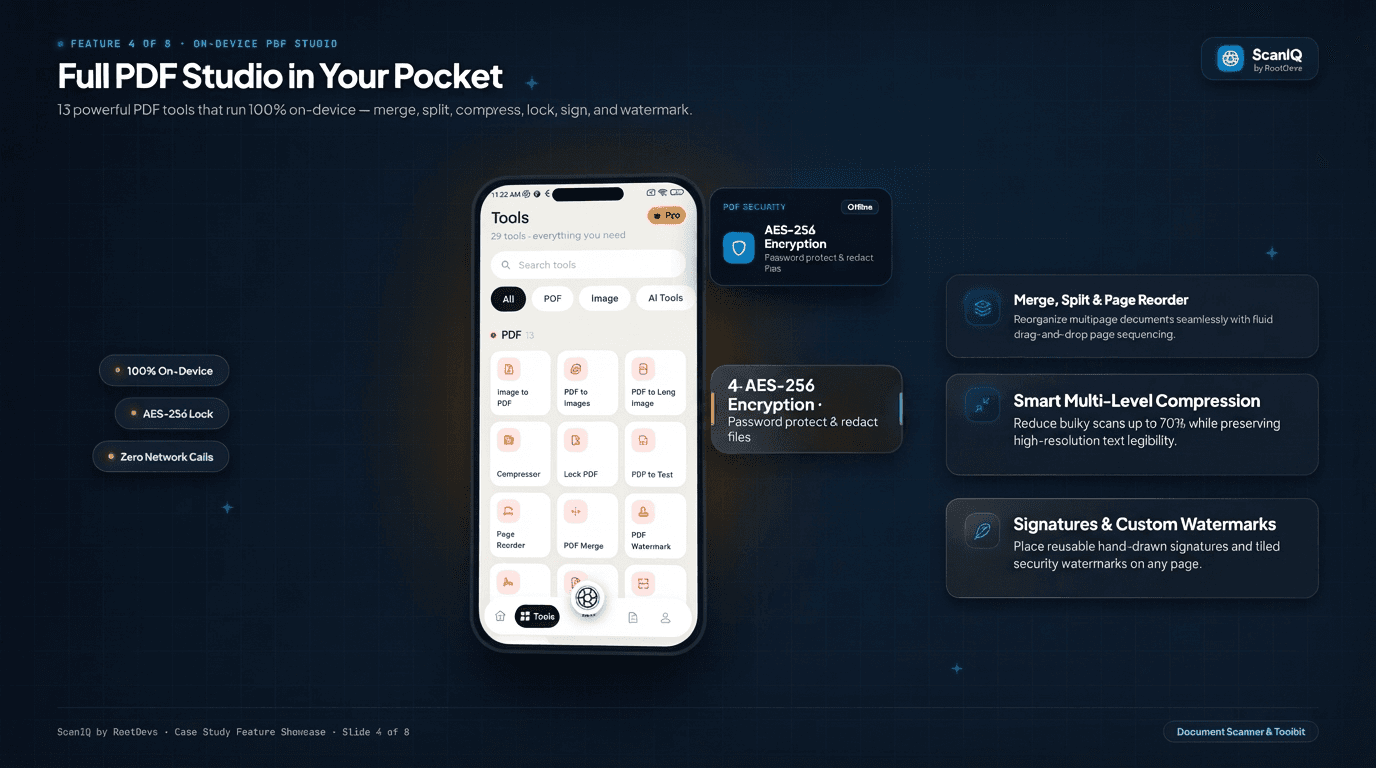
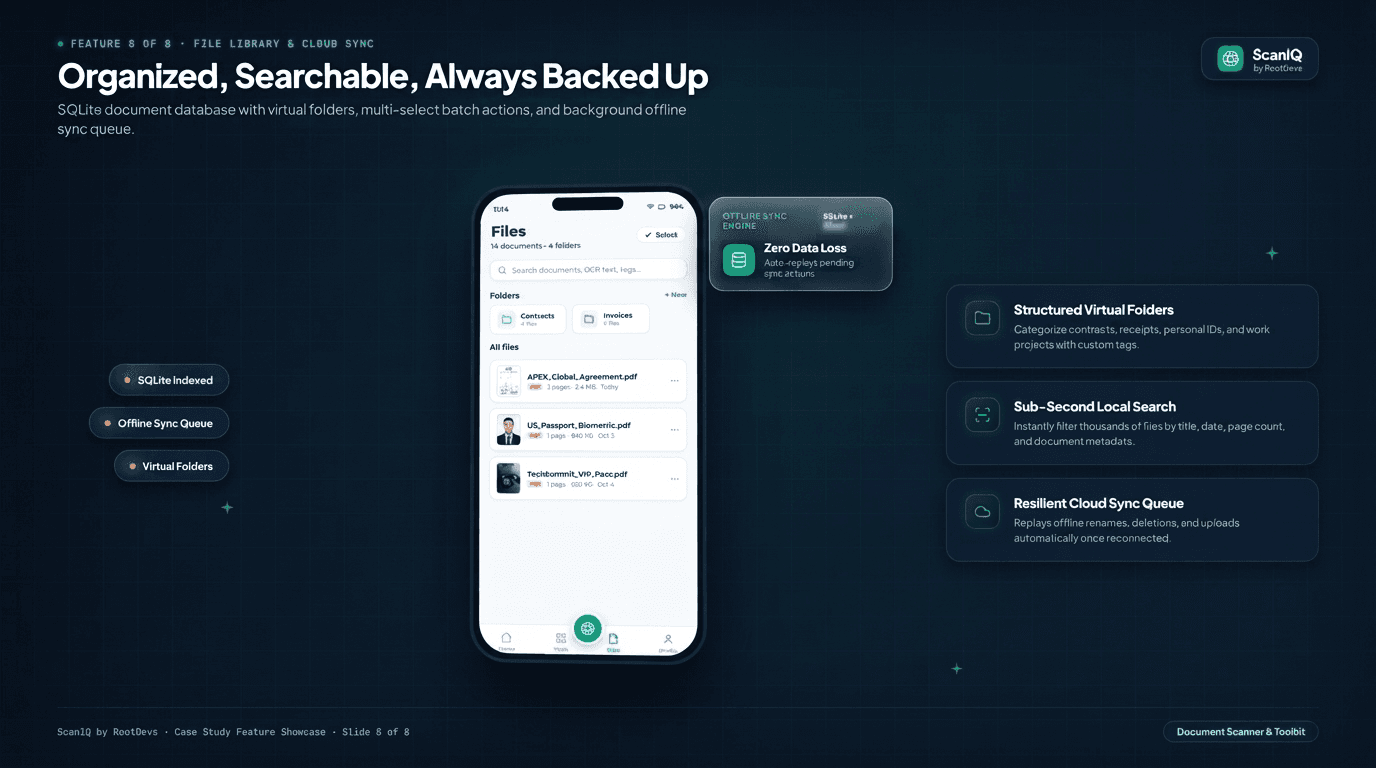
A scanned page doesn't stop being a photo — ScanIQ turns it into a working file. The Tools screen holds 13 dedicated PDF operations: merge, split, drag-and-drop page reorder, compress by up to 70%, AES-256 password lock, custom watermarks, and hand-drawn signatures, all running without a network call. Every file lands in an indexed, on-device library with virtual folders, tags, and instant search, and a background sync queue replays any offline change the moment connectivity returns.
- Merge, split, and reorder, by touch.
- Drag-and-drop page sequencing reorganizes multi-page documents without opening a desktop PDF editor.
- Compression that keeps text sharp.
- A multi-level compression engine cuts file size by up to 70% while preserving high-DPI text edge contrast, so a scan still clears email attachment limits.
- A library that never loses a file.
- Virtual folders, multi-tag filters, and instant local search sit on an offline-first local database, with a sync queue that replays renames and deletions once the connection is back.
Document Intelligence, On Tap
Turn a static page into an answer.
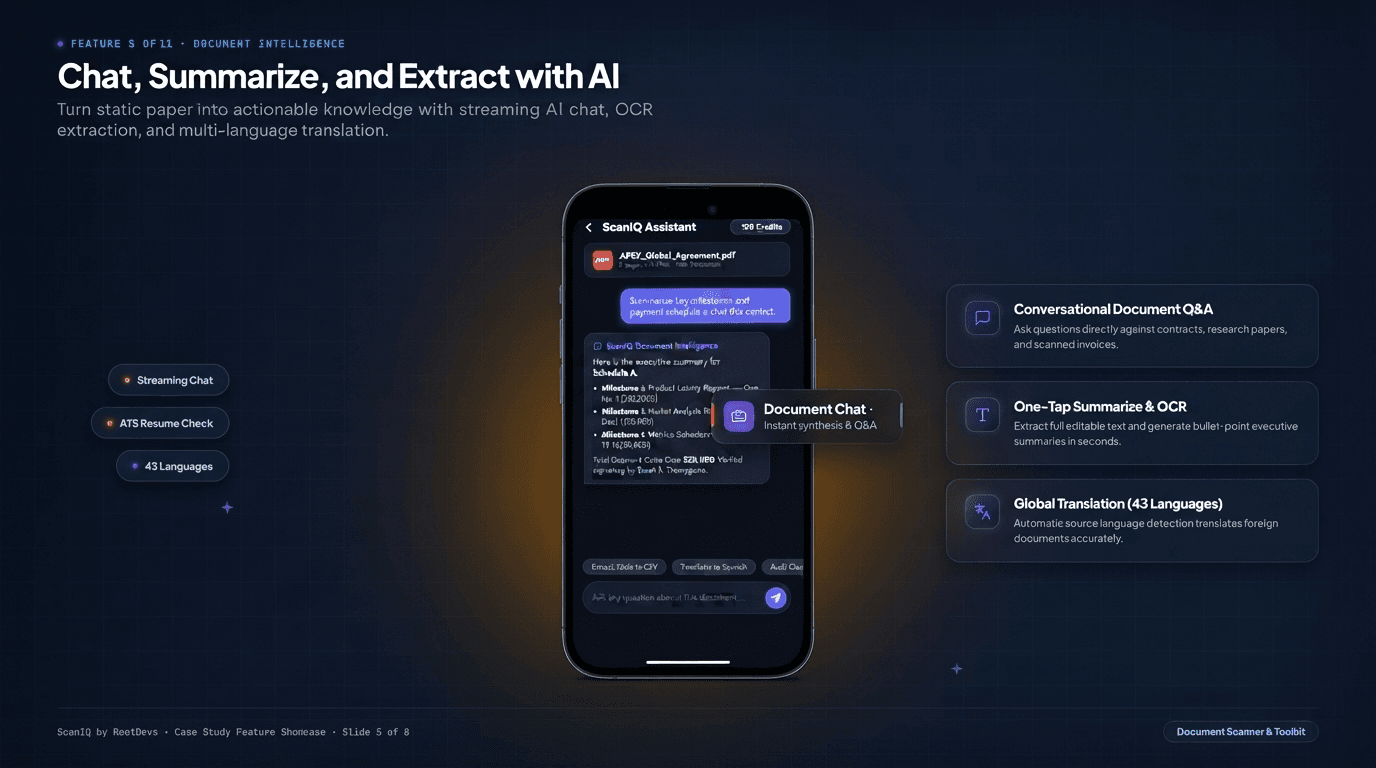
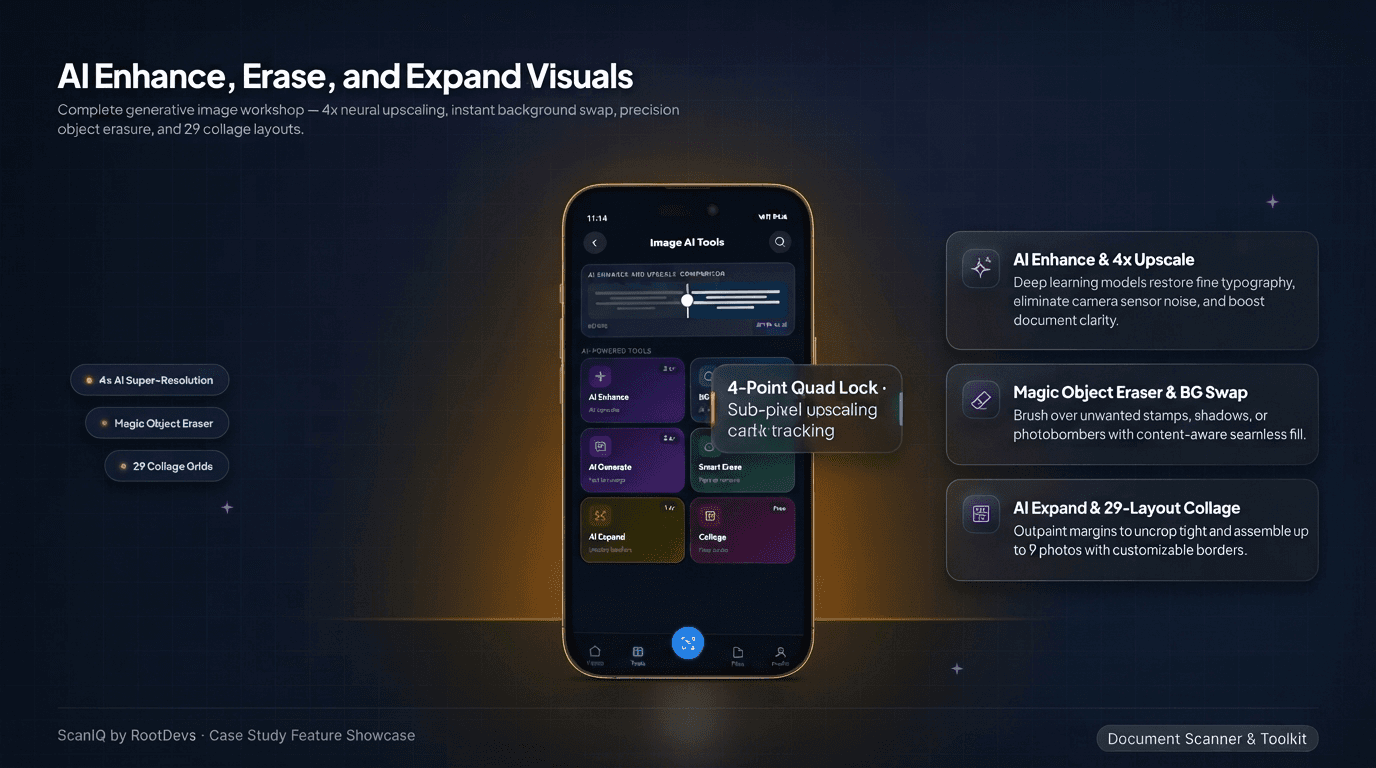
Open a document and ask it a question. ScanIQ's assistant streams a reply grounded in the file's own text — we watched it synthesize a three-milestone payment schedule, with dollar amounts, straight out of a sample contract — alongside one-tap OCR extraction, bulleted executive summaries, and translation across 43 languages. A parallel generative studio handles the images themselves: 4x neural upscaling restores degraded typography, a magic object eraser removes stray marks with content-aware fill, and AI expand uncrops tight margins.
- Chat against the document you have open.
- Questions are answered from the file's own extracted text — contracts, research papers, and scanned invoices included — not a generic model reply.
- Summarize and translate in the same tap.
- One-tap OCR extracts full editable text, an executive summary bullets the key points, and automatic language detection translates the result across 43 languages.
- Degraded scans, restored.
- 4x neural upscaling, a magic object eraser, and AI-expand uncropping clean up a document's images without leaving the app — each a credit-metered generative call, never part of the free core.
Built for Real-World Documents
Formats governments actually accept.
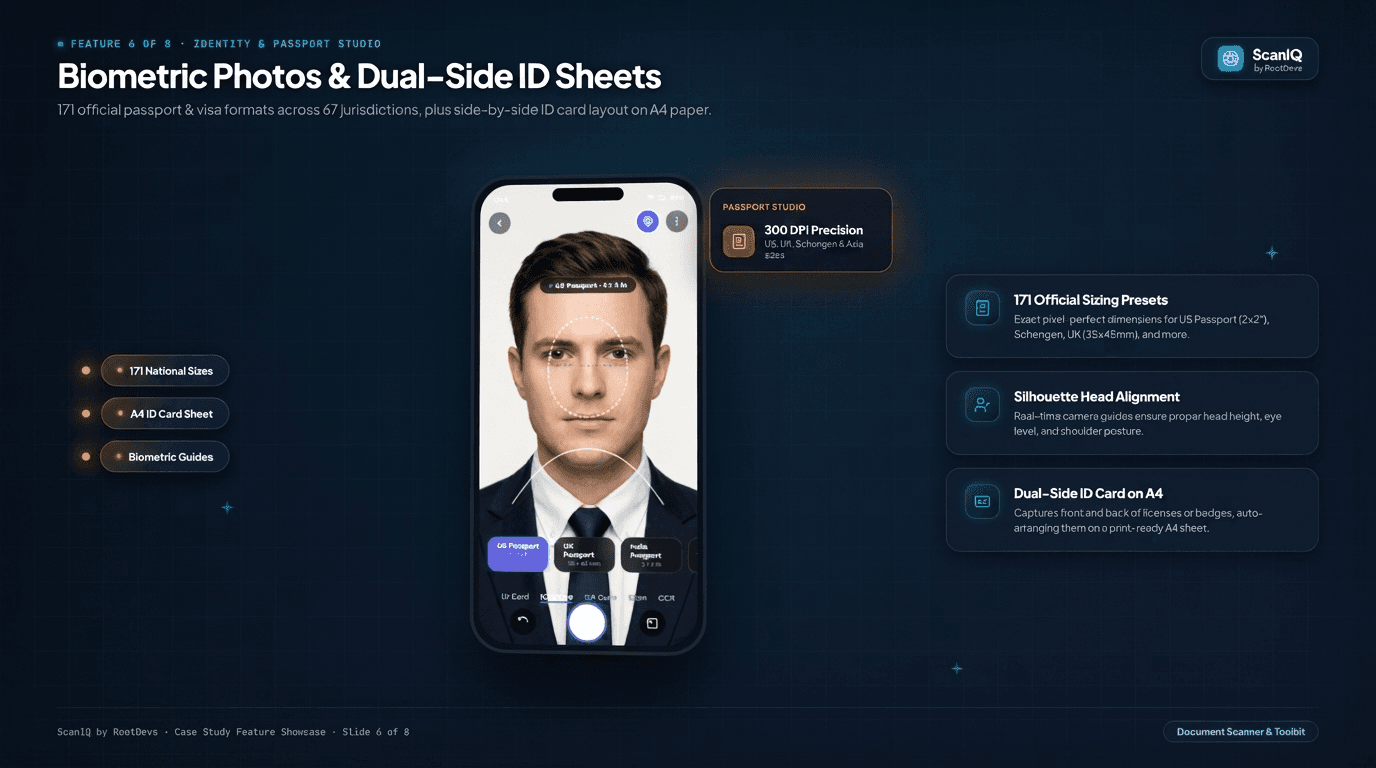
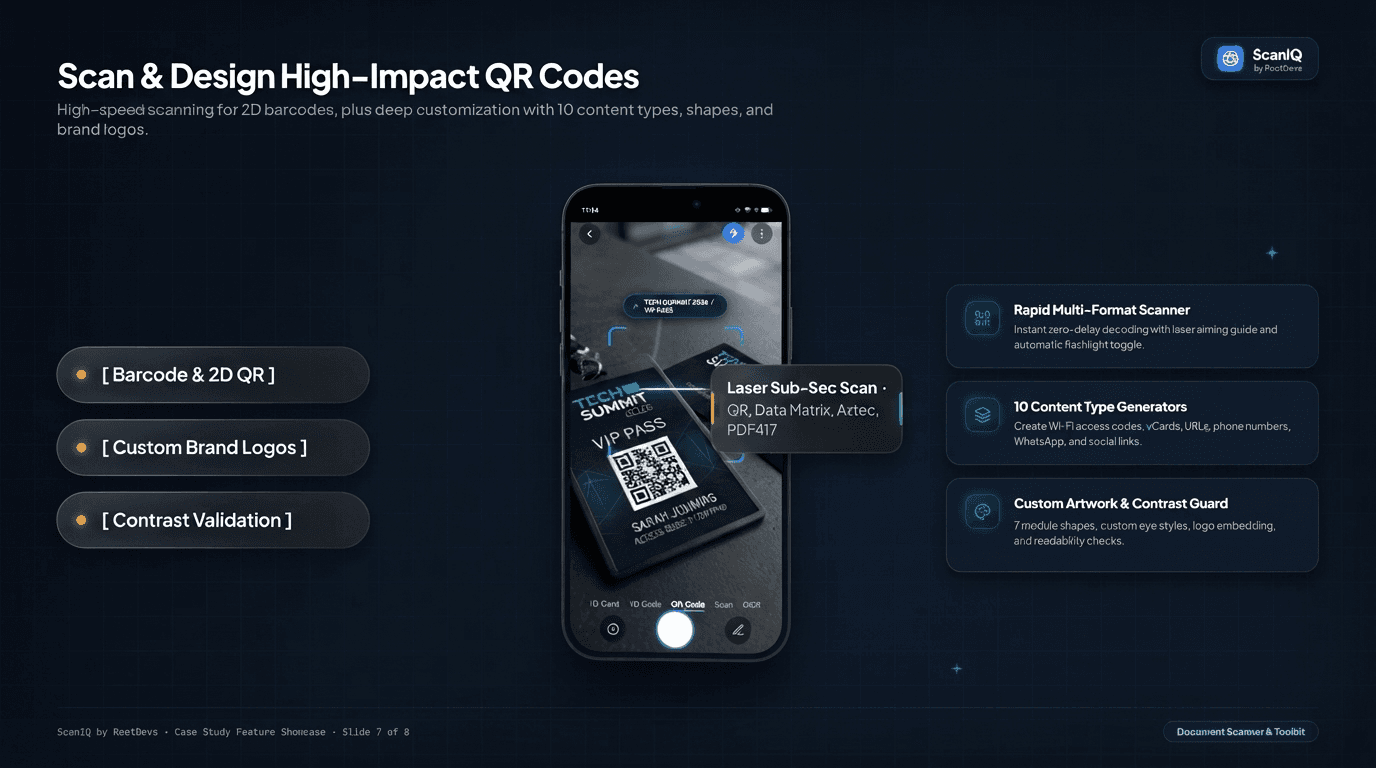
Generic photo tools fall apart on the documents people actually need: a passport photo, a two-sided ID, a QR code with a brand's logo on it. ScanIQ's biometric studio is preloaded with 171 official sizing presets across 67 countries — from the US 2×2" standard to UK and Schengen 35×45mm — with a live silhouette guide for head height and eye line, and a dedicated ID Card mode that captures front and back in sequence and composites them onto one print-ready A4 sheet. The same camera core powers a sub-second multi-format barcode scanner and a QR design studio with 10 content types and custom brand logos.
- 171 presets, 67 countries, one studio.
- Exact pixel and millimeter dimensions for US, UK, Schengen, Canadian and Asian passport and visa formats, with silhouette guides for head height, eye level, and shoulder posture.
- Two sides, one sheet.
- ID Card mode captures front and back in sequence and automatically composites both onto a single print-ready A4 or Letter page at accurate scale.
- A scanner and a QR designer, in one engine.
- The same camera decodes QR, Data Matrix, Aztec and PDF417 codes in milliseconds, and generates 10 content types — Wi-Fi, vCard, URLs, payments — with custom shapes, colors, and embedded logos.
Built to Be Trusted
Private by architecture, fair by design.
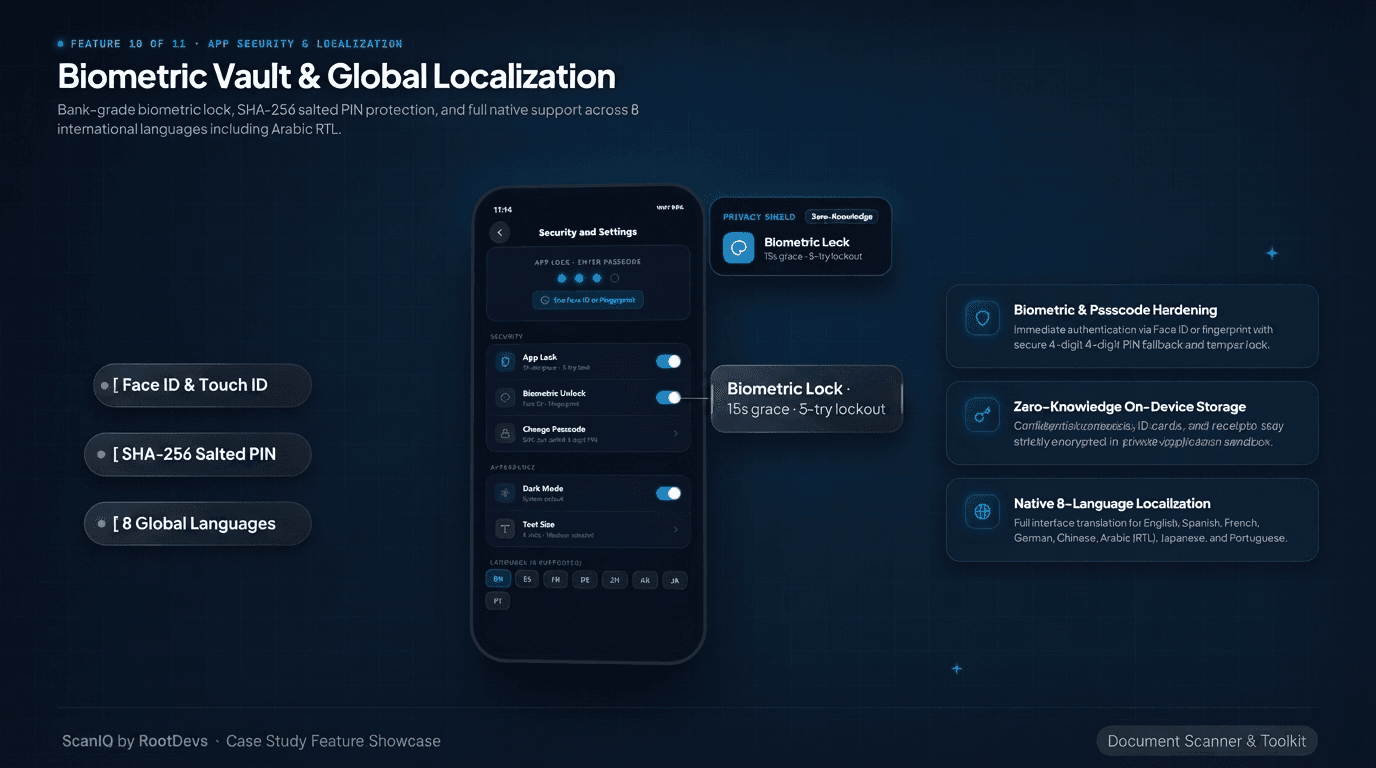
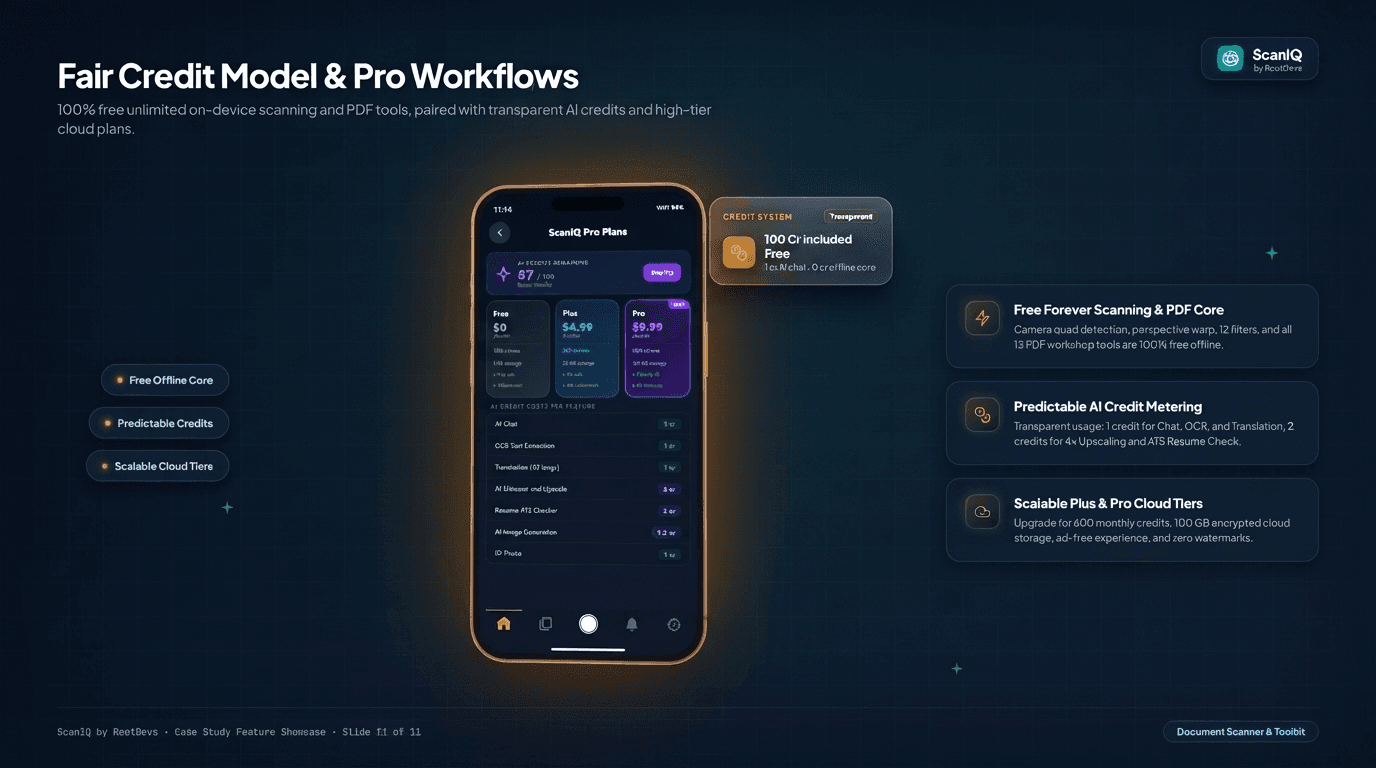
The parts of ScanIQ that handle the most sensitive material are the parts built with the least trust in the network. A dedicated on-device computer vision engine means document boundary detection, perspective flattening, filtering, and PDF generation run without a single network call, and the app itself locks behind Face ID, Touch ID, or a SHA-256 salted PIN with a 5-attempt lockout. On the business side, every credit-metered operation is priced upfront — 1 credit for chat, OCR, or translation, 2 for 4x upscaling — against 100 free monthly credits, with Plus and Pro tiers scaling storage and priority processing rather than gating the core toolkit.
- Zero-knowledge, by default.
- Confidential contracts, ID cards, and receipts stay encrypted inside the application's private sandbox — nothing server-side touches a document unless an AI feature is explicitly invoked.
- A lock built for a shared device.
- Face ID or fingerprint authentication, a SHA-256 salted 4-digit PIN fallback, a 15-second grace window, and a 5-attempt brute-force lockout.
- Credits you can predict before you spend them.
- 100 free monthly AI credits, 1 credit for chat/OCR/translation, 2 for 4x upscaling or an ATS resume check — scanning and the 13-tool PDF workshop stay free forever regardless of tier.
Making it fast and private
Document workflows demand uncompromising privacy and lightning-fast responsiveness. Key engineering highlights:
- A dedicated on-device vision engine. Live boundary quad detection, polygon convexity validation, and homography warping run natively on-device, guaranteeing smooth camera previews and zero data leakage.
- Client-side PDF manipulation. Encryption, decryption, page extraction, watermarking, and signature compositing run strictly in local application memory without transmitting document bytes over the wire.
- Offline-first local architecture. Document metadata, tags, folder hierarchies, and page indexes are stored on-device with optimistic UI updates, for snappy navigation regardless of network status.
- Resilient background synchronization queue. Offline deletions, renames, and cloud backups are queued locally and replayed automatically once a stable connection is established.
- Streaming AI pipeline. AI document chat and OCR stream responses as they're generated, delivering immediate text within milliseconds rather than waiting for large batches to resolve.
Before and with ScanIQ
Before ScanIQ
With ScanIQ
Why ScanIQ works
- Built around the whole workflow, not just the shutter: scanning is step one; editing, signing, protecting, and understanding the document is step two.
- Uncompromised privacy: everything essential runs on-device through a dedicated local engine — private documents never touch the cloud without explicit action.
- Desktop utility in a mobile form factor: 13 PDF workshop tools and 171 passport specifications fit cleanly into one thumb-friendly interface.
- Honest, transparent model: unlimited offline scanning stays free forever, with cloud AI processing clearly metered through transparent credit allotments.
- Engineered for international reach: 8 global languages, bidirectional Arabic RTL layout, and biometric security ready from day one.
More from the portfolio
Got a document-heavy workflow?
We build the processing and AI layers that turn a pile of paper into something searchable and useful.