
MediTrack
Your personal health companion.
Healthcare · Personal Health Tech
- Status
- Pilot
- Category
- Product
The project, at a glance
Taking medicine on time sounds simple until it isn't. People juggle several medicines a day, each with its own dose, timing and meal rule. Reminders get snoozed and forgotten, refills run out, and the details that matter at a doctor's visit — what you take, your last blood-pressure reading, your weight trend — live in scattered notes or nowhere at all.
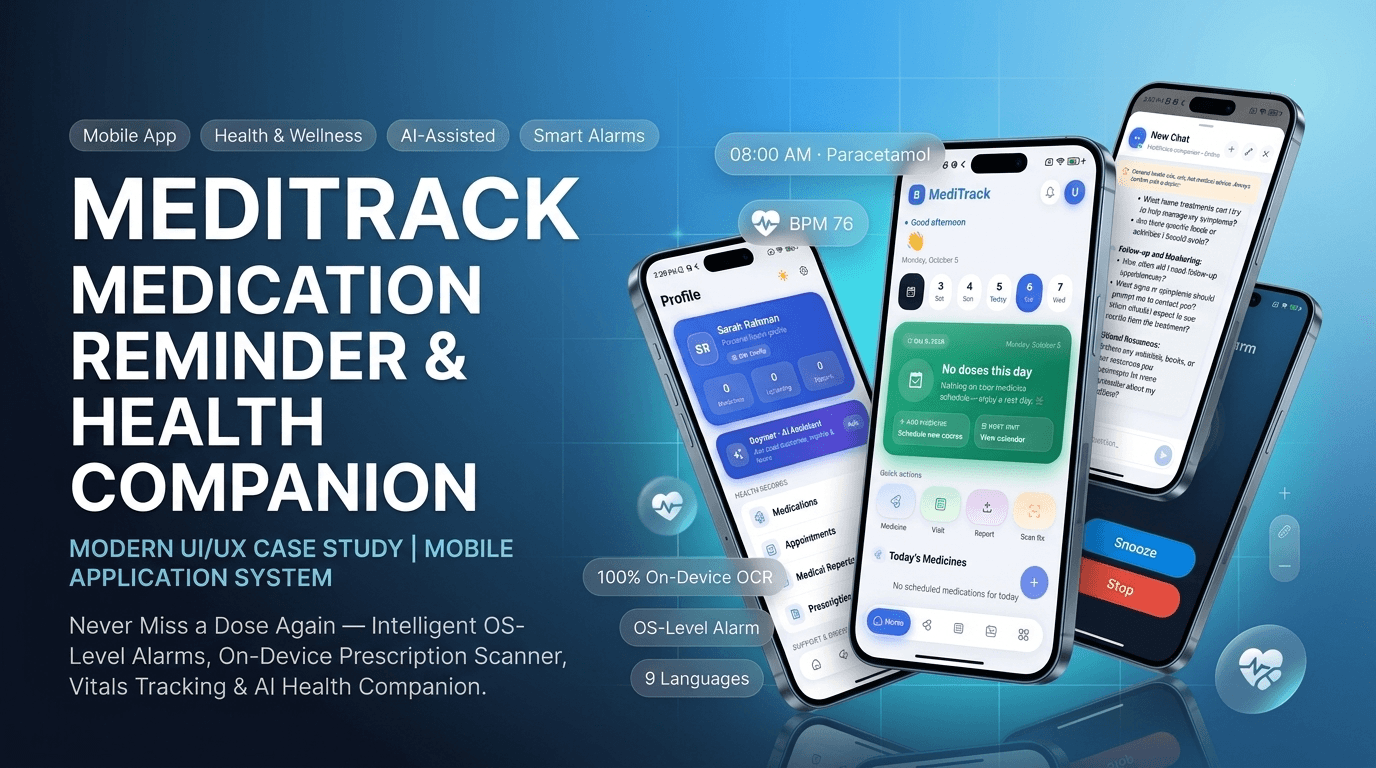
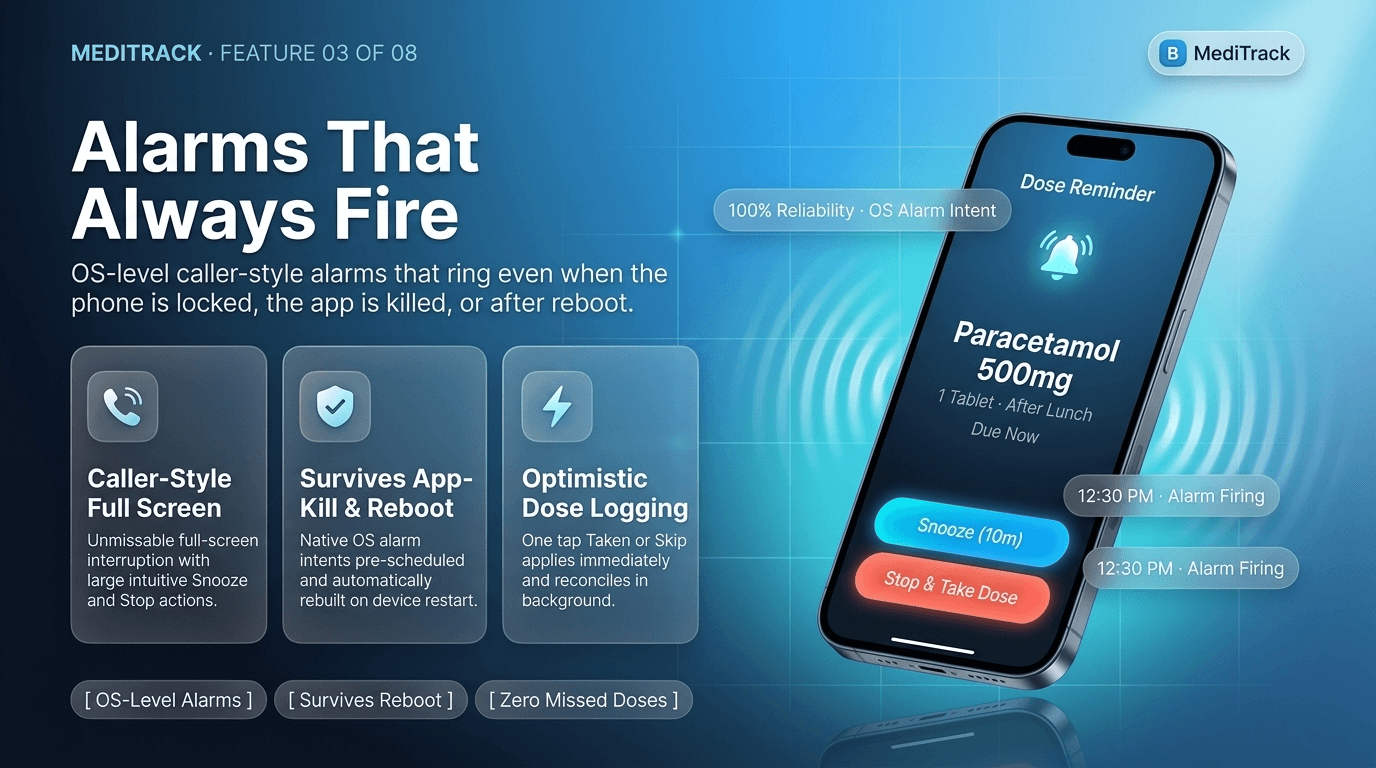
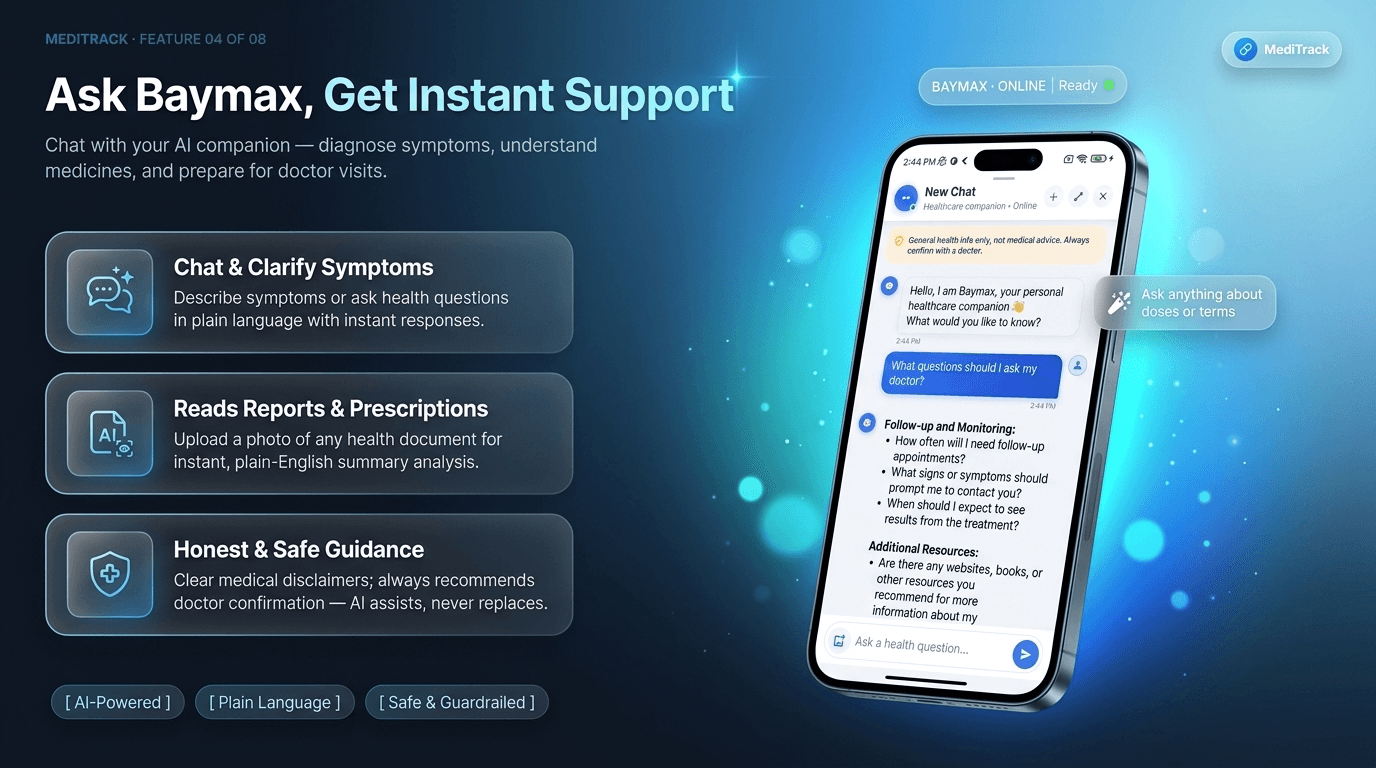
MediTrack puts the whole routine in one place. Add a medicine once, and the app builds a daily schedule you act on in a tap: Taken, Skip, or Undo. When a dose is due it raises a full-screen, caller-style alert with Snooze and Stop — built to interrupt the way an incoming call does, not scroll past like a banner notification. Around that core sit the things a patient actually needs: appointments, an AI-assisted prescription reader, health tracking with charts, an emergency contact list, nearby pharmacies, and Baymax, an AI assistant that answers questions in plain language.
It's built mobile-first and installs straight from the browser to the home screen, with an Elder Mode that enlarges text and contrast for users who need it most.
MediTrack
- Product
- MediTrack
- Category
- Health & wellness / medication adherence companion
- Platform
- Mobile-first Progressive Web App — installable to the home screen, with a full-screen, caller-style alert UI for due doses
- Audience
- Anyone on a daily medicine routine — chronic-condition patients, older adults, caregivers, and the families who help them
- Scope
- Product design, front-end architecture, AI assistant UX, accessibility
Try it yourself
What we set out to build
“Make the right dose, at the right time, the easiest thing a person does all day — and keep everything a doctor might ask for in one tidy place.”
The shortest path from "I have a new prescription" to "my phone reminds me, I tap once, and I'm done." A reminder is only useful if it actually interrupts you, so the alert had to be impossible to miss — not just another line in the notification tray.
What people told us
- 1
"I forget, or I'm not sure if I already took it." A silent notification in the tray is easy to miss and easy to double-guess.
- 2
"The reminder blends into every other notification." A single line of text competing with every other app rarely gets acted on in time.
- 3
"Setting up a medicine is fiddly." Dose, frequency, meal timing, duration, refills — too many apps bury this in forms.
- 4
"My health info is everywhere and nowhere." Blood pressure in one app, weight in a note, the last prescription as a blurry photo in the gallery.
- 5
"Typing in a prescription is tedious." Copying names and doses off a paper slip is slow and error-prone.
- 6
"In an emergency I'm scrambling for a number." Doctor, pharmacy, ambulance — all buried in the phone's contacts.
How we got there
- Step 01
Start from the dose, not the database
We designed the whole app around a single daily action — act on the dose that's due right now — and built everything else to support it.
- Step 02
Make the reminder impossible to miss
We moved past simple notifications to a full-screen, caller-style alert with Snooze and Stop, so a due dose can't quietly scroll past unnoticed.
- Step 03
Cut the setup effort
Medicine-type icons, sensible defaults and an AI prescription reader mean adding a new medicine takes seconds, not a form full of fields.
- Step 04
Keep the clinic picture in one place
Appointments, prescriptions, contacts and vitals all live in the app and link to each other, so a check-up visit needs one screen, not five.
- Step 05
Add AI where it answers a real question
Baymax explains and reassures; report analysis reads a lab result. Every AI result is a starting point, never the last word.
Where MediTrack sits
MediTrack sits between a bare reminder app and a heavyweight clinical record:
- More reliable than a reminder app. A full-screen, caller-style alert is built to interrupt you — not a banner you can swipe away without reading.
- More approachable than a medical record. Vitals, prescriptions and appointments are tracked in plain, tap-friendly screens, not clinical jargon.
- Helpful beyond the dose. Emergency contacts, nearby pharmacies, health charts and an AI assistant make it a daily companion, not a single-purpose timer.
We didn't just build a pill reminder. We built a daily health companion people can trust to interrupt them.
Built for four kinds of users
Chronic-condition patient
What they get
A dependable daily schedule and an alert that's actually hard to miss
Older adult
What they get
Big, one-tap dose actions and an interface that scales with Elder Mode
Caregiver / family
What they get
A clear picture of medicines, vitals and appointments in one app
Anyone health-conscious
What they get
Vitals, weight and water tracking with trend charts and BMI
How it came together
Nine phases, each shipping something the next one could build on.
- Step 01
Foundation
Five-tab shell (Home, Meds, Visits, Health, More), daily dose timeline, medicine add/edit.
- Step 02
Medications
Dose schedules, frequency, meal timing, duration, active/paused state, refill tracking.
- Step 03
Reminders
A full-screen, caller-style alert with Snooze and Stop for every due dose.
- Step 04
Home & schedule
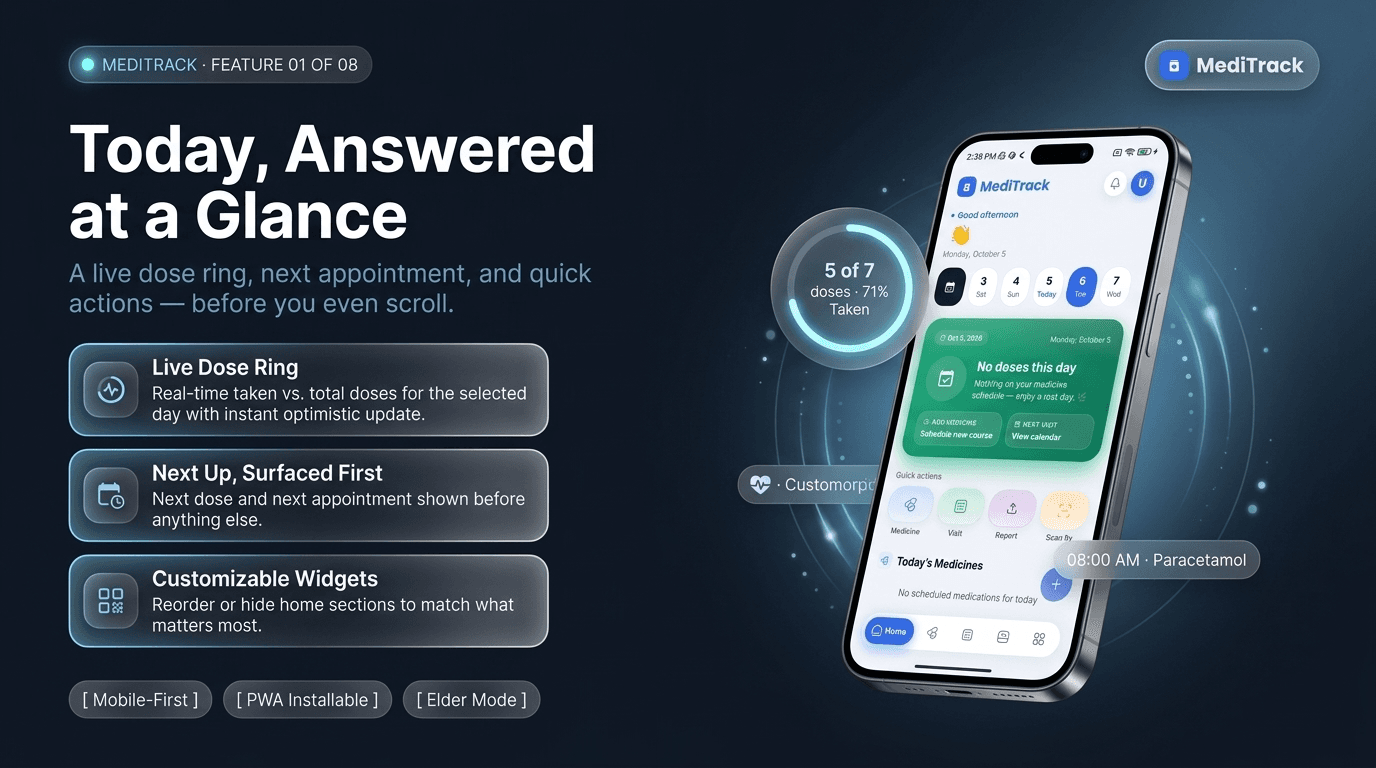
Daily dose timeline grouped by time, one-tap Taken/Skip/Undo, reorderable home widgets.
- Step 05
Appointments & prescriptions
Doctor appointments with reminders and calendar add; AI-assisted prescription reading.
- Step 06
Contacts
Doctor/pharmacy/hospital/clinic/emergency contacts, with a pinned emergency number for one-tap calls.
- Step 07
Health tracking
Blood pressure, glucose, heart rate, weight, water and BMI, each with trend charts.
- Step 08
AI
Baymax chat assistant, AI prescription reading, lab-report analysis.
- Step 09
Nearby & personalization
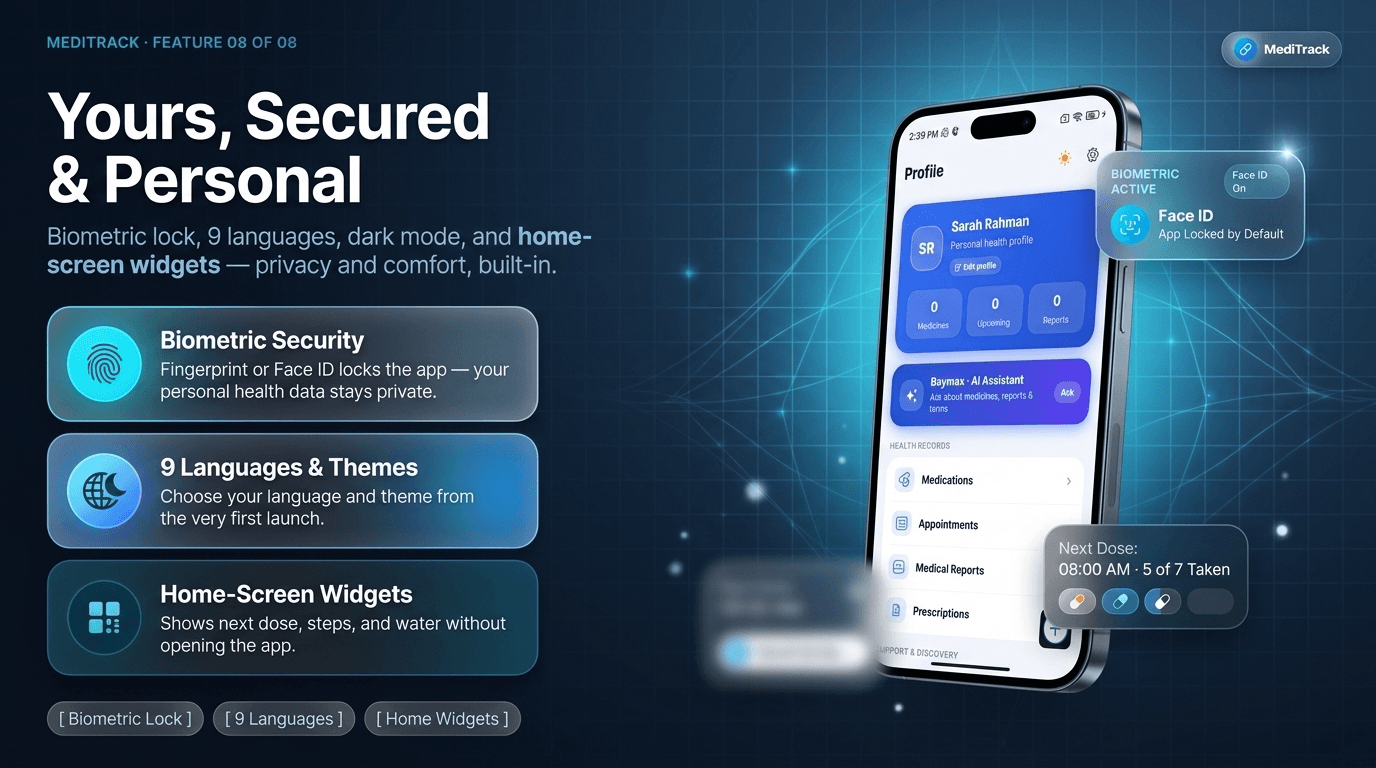
Map of nearby pharmacies and hospitals, biometric lock, language/theme preferences.
Where it got hard
Challenge 01
Reminders that blend into the background.
Resolution
We replaced simple notifications with a full-screen, caller-style alert carrying Snooze and Stop, so a due dose demands a response the way an incoming call does, not a banner that's easy to dismiss.
Challenge 02
"Did I already take that?"
Resolution
The home screen shows each dose as a timeline row you act on directly — Taken, Skip, or Undo. Actions apply instantly and reconcile in the background, so the app feels immediate even on a slow connection.
Challenge 03
Typing a prescription by hand.
Resolution
Upload or scan a prescription and Analyze with AI turns it into a structured, editable list of medicines — name, dose, frequency, duration and instructions — before anything is tracked.
Challenge 04
Health data scattered everywhere.
Resolution
Blood pressure, weight, glucose, heart rate and water are tracked in one place, charted over time, and sit alongside the appointments and prescriptions they relate to.
Challenge 05
A risky reading can slip by in a chart nobody rechecks.
Resolution
Logging a vital validates it against a realistic physiological range and grades it in real time — from a reassuring "Desirable" to a "take care" warning — so the flag shows up at the moment of entry.
Challenge 06
An emergency with no number to hand.
Resolution
Contacts are grouped by type — doctor, pharmacy, hospital, clinic, emergency — with a one-tap call button and an ambulance number pinned to the home screen.
Challenge 07
Staying useful without opening to a blank screen.
Resolution
Reorderable home widgets surface the next dose, steps and water at a glance the moment the app opens, instead of burying them behind a menu.
How the app stays out of the way
- One tap on the thing that matters. The dose due right now is front and centre, with Taken / Skip / Undo a single tap away.
- The alert behaves like a call. Full-screen, hard to miss, with clear Snooze and Stop — not a notification that scrolls away.
- Setup is guided, not blank. Medicine-type icons and sensible defaults for dose, frequency and meal timing mean adding a medicine rarely means typing from scratch.
- Everything links up. Appointments, prescriptions and contacts reference each other, so one visit's worth of info lives together.
- Accessible by default. Elder Mode, large touch targets, and a calm, high-contrast interface.
- Honest AI. Chat answers and report analysis are starting points — always editable, never the final authority on your health.
What the product does
The Daily Loop
Make the next dose impossible to miss.
The whole app is built around one daily action: act on the dose that's due right now. A live ring tracks today's doses against the total, with the next dose and next appointment surfaced before anything else. When a dose is due, MediTrack doesn't send a banner that scrolls past — it raises a full-screen, caller-style alert with Snooze and Stop, built to interrupt the way an incoming call does.
- A live ring, not a list to scroll through.
- Today's dose ring updates instantly with every tap — optimistic updates mean the app feels immediate even on a slow connection.
- An alert that behaves like a call.
- A due dose is full-screen, with large Snooze and Stop actions — unmissable in a way a notification banner isn't — and every tap reconciles in the background.
- The home screen, your way.
- Reorderable widgets surface the next dose, steps, or water at a glance, instead of burying them behind a menu.
Less Typing, More Doing
Let AI handle the tedious part.
Setting up a new medicine, or making sense of a prescription, used to mean typing from a paper slip. MediTrack reads it instead: upload or scan a prescription and AI turns it into a structured, editable list of medicines before anything is tracked. Baymax, the health assistant, answers plain-language questions and reads lab reports — with a disclaimer every time: general information, not medical advice.
- A prescription becomes a schedule, not a form.
- Upload or scan a prescription and Analyze with AI extracts name, dose, frequency, duration and instructions — verified before anything is added to the schedule.
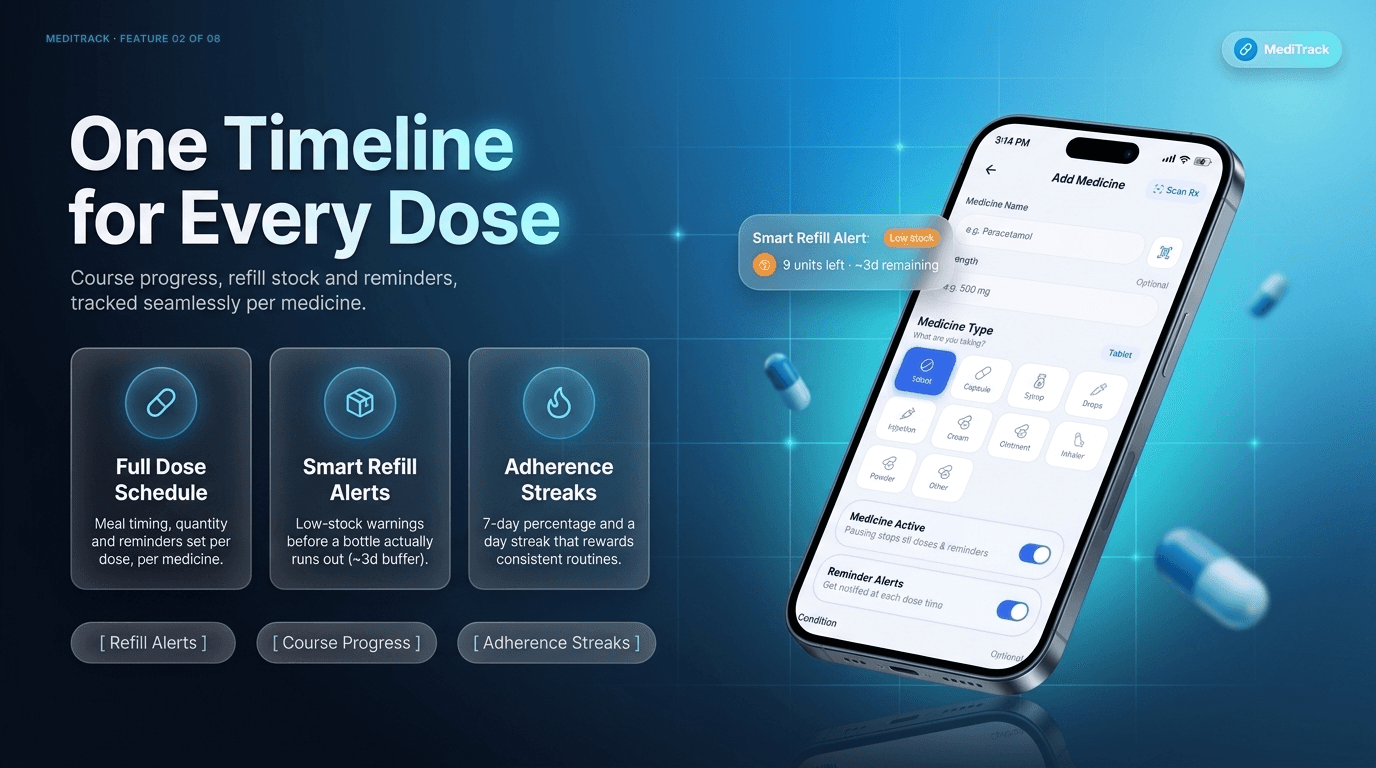
- A refill alert that fires before you run out.
- Stock buffers trigger a smart refill alert ahead of time, not after the bottle's empty — we saw this flag a real medicine with only 9 units left.
- Ask a question, get an honest answer.
- Baymax clarifies symptoms or reads a lab report in plain language — we had it flag a real hemoglobin reading as low against the reference range, closing with a disclaimer rather than a diagnosis.
The Full Picture
Turn scattered numbers into one clear picture.
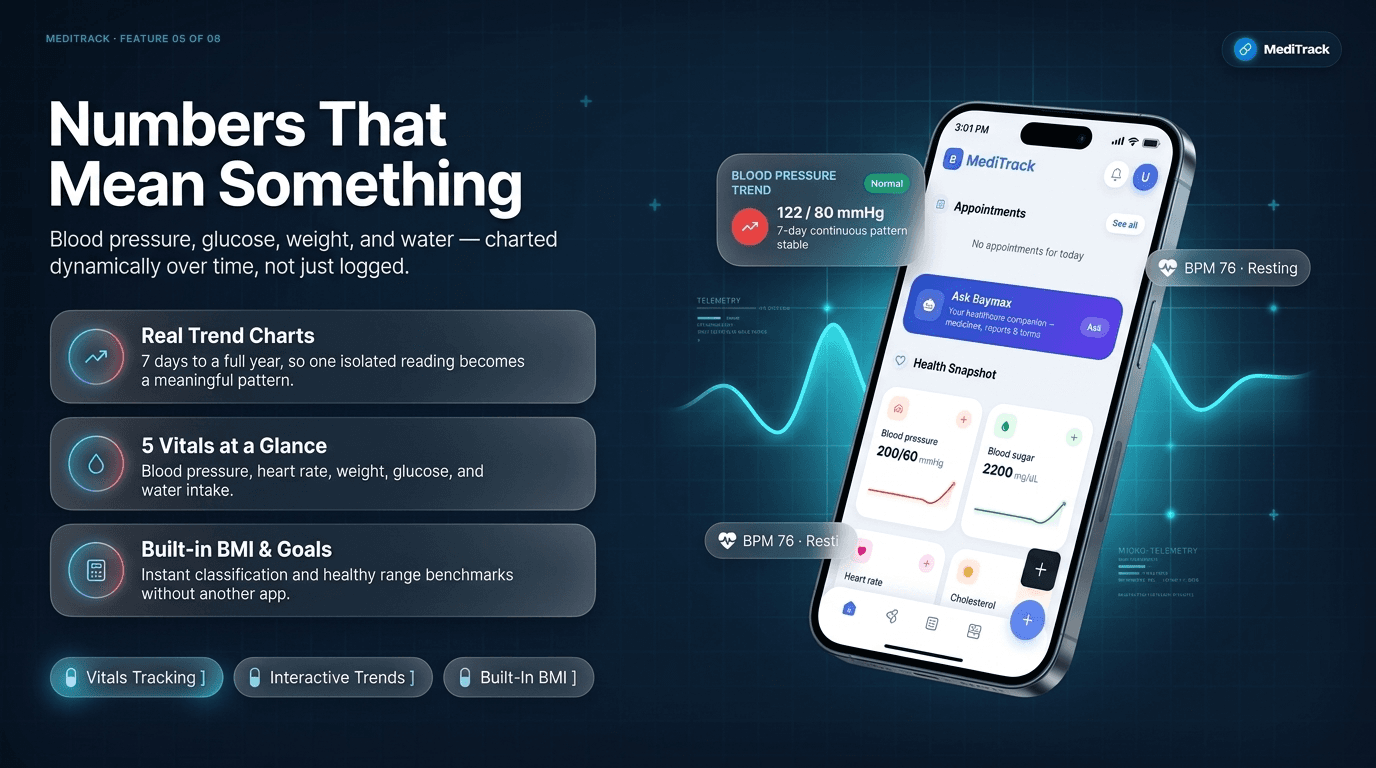
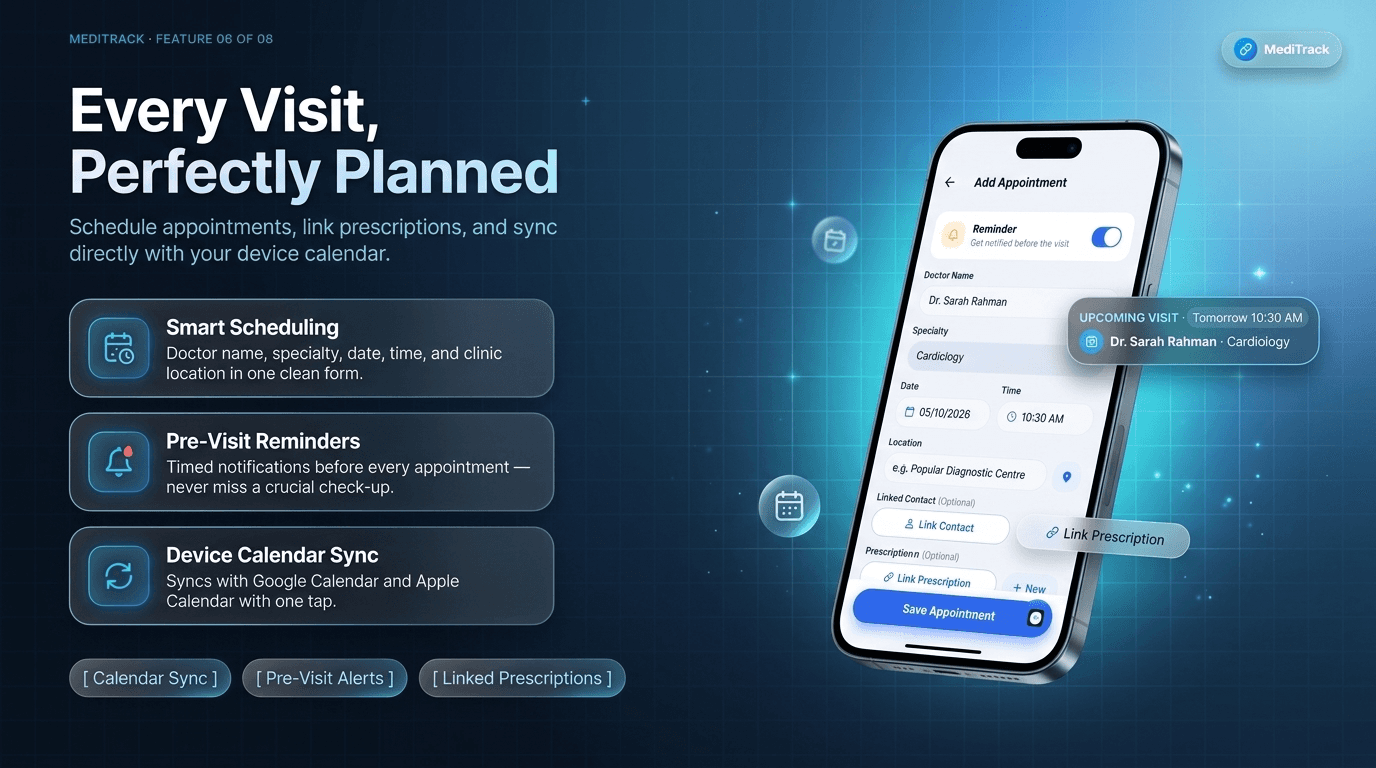
Blood pressure in one app, weight in a note, a prescription as a blurry photo — health data usually lives nowhere in particular. MediTrack charts blood pressure, heart rate, weight, glucose and water over 7 days to a full year, so one reading becomes a pattern, and links each appointment to the prescription that prompted it, so a check-up needs one screen instead of five.
- A reading that's graded the moment it's logged.
- Every vital is validated against a realistic physiological range and graded in real time — from a reassuring "Desirable" to a "take care" warning — so a risky reading can't slip by unnoticed.
- A trend, not an isolated number.
- Charts span 7 days to a full year across blood pressure, heart rate, weight, glucose and water, with a built-in BMI calculator and healthy-range benchmarks.
- Every visit, linked to what led to it.
- An appointment carries its doctor, specialty, clinic location and a timed reminder, plus a link to the prescription that prompted it.
Built to Be Trusted
Keep help close, and your data closer.
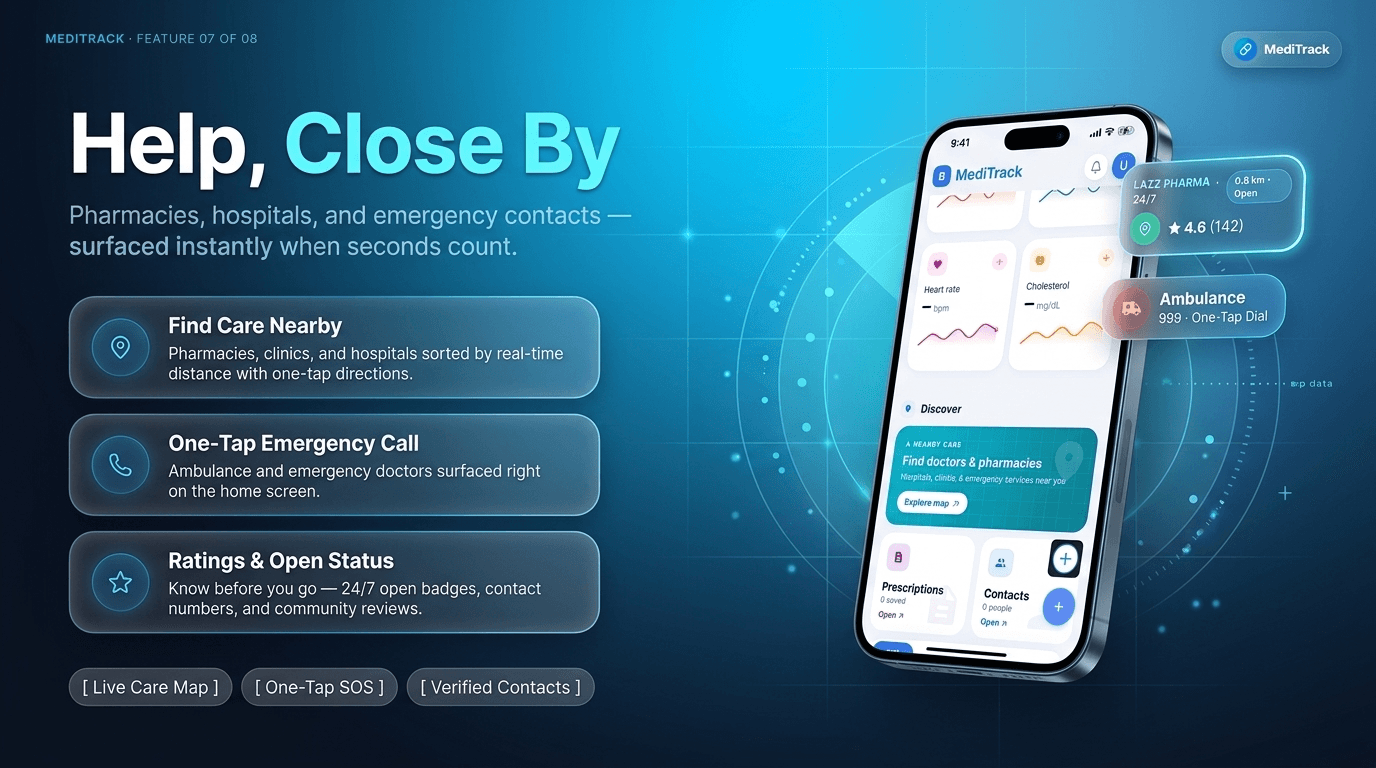
The parts of the app that matter most in a crisis, or every single day, are built for trust rather than friction. Pharmacies, clinics and hospitals are sorted by real distance with ratings and open/closed status, and an ambulance number sits one tap from the home screen. Personal health data stays locked behind a fingerprint or face, and Elder Mode enlarges text and contrast for the users who need it most.
- Help, sorted by what's actually close.
- Pharmacies, clinics and hospitals show real-time distance, ratings and open/closed status — a nearby pharmacy showed 4.6★ from 142 reviews, 0.8 km away.
- One tap away from an emergency number.
- Contacts are grouped by type — doctor, pharmacy, hospital, clinic, emergency — with a pinned ambulance number one tap from the home screen.
- Private by default, accessible by design.
- A fingerprint or face lock keeps personal health data private, and Elder Mode enlarges text and contrast for anyone who needs it.
Making it reliable
A medicine reminder is only as good as the moment it fires, so the hard work went into reliability and trust:
- An alert built to interrupt. The full-screen Snooze/Stop screen is designed to behave like an incoming call, not a notification that's easy to miss or swipe away.
- Optimistic, resilient actions. Marking a dose updates the UI instantly and reconciles with the server in the background, rolling back cleanly if the network fails.
- Range-checked entries. Every manual vitals reading is validated against a realistic physiological range the moment it's logged.
- Honest AI, disclosed every time. Chat replies, prescription reads and report analysis all carry a visible "general information, not medical advice" note.
- Installable, not just bookmarkable. A PWA install prompt turns the browser tab into a home-screen app with no store listing required.
Before and with MediTrack
Before MediTrack
With MediTrack
Why MediTrack works
- Built for one job, done properly: taking the right dose on time.
- An alert you can trust: full-screen, caller-style, impossible to swipe past unnoticed.
- Less typing, more doing: AI-assisted prescription reading instead of manual entry.
- The whole picture in one place: doses, vitals, appointments, prescriptions and contacts.
- For everyone: Elder Mode, a calm interface, and biometric security from day one.
More from the portfolio
Building something in health tech?
Patient-facing healthcare products carry a higher trust bar than most software — we design and build with that bar in mind from day one.